 Nuxt Splitty
Appearance
Nuxt Module Options
To configure the integration, you can use nuxt-splitty property in the nuxt.config.ts:
import { defineNuxtConfig } from 'nuxt'

export default defineNuxtConfig({
  modules: [
    'nuxt-splitty'
  ],
  nuxtMicroServices: {
    /* module options */
  },
})
import { defineNuxtConfig } from 'nuxt'

export default defineNuxtConfig({
  modules: [
    'nuxt-splitty'
  ],
  nuxtMicroServices: {
    /* module options */
  },
})
WARNING
It's recommended to use the nuxt-splitty.config.ts file for module configuration to keep nuxt.config.ts clean. Put it the same directory as nuxt.config.ts.
Next examples show how to configure the integration with the nuxt-splitty.config.ts file.
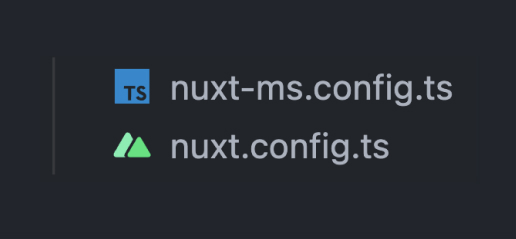
nuxt-splitty.config.ts:
import { defineConfig } from 'nuxt-splitty'

export default defineConfig({
    /* module options */
})
import { defineConfig } from 'nuxt-splitty'

export default defineConfig({
    /* module options */
})
Options
modules
- Type:
Object - Default:
  {
    npm: [],
    local: []
  }
  {
    npm: [],
    local: []
  }
One of the most important options, which determines which modules are loaded in the project.
Supported options:
local- defines local modules, physically placed in the project,npm- defines external modules, hosted on the some registry. Npm or some private registry can be used.
import { defineConfig } from 'nuxt-splitty'

export default defineConfig({
  modules: {
    local: [
      'core',
      '@demo/user',
    ]
  }
})
import { defineConfig } from 'nuxt-splitty'

export default defineConfig({
  modules: {
    local: [
      'core',
      '@demo/user',
    ]
  }
})
modulesDir
- Type:
String - Default:
modules
Local modules directory name.
vendorDir
- Type:
String - Default:
vendor
Npm modules directory name. Directory is temporary and used by symbolic link.
nodeModulesDir
- Type:
String - Default:
node_modules
Directory where installed npm modules are to be found.
i18n
- Type:
Object - Default:
{ disabled: false, locales: [], }
Disable i18n support by setting disabled: true. Or set the locales to be used.
import { defineConfig } from 'nuxt-splitty'

export default defineConfig({
  i18n: {
    locales: [
      'en',
      'de',
    ]
  }
})
import { defineConfig } from 'nuxt-splitty'

export default defineConfig({
  i18n: {
    locales: [
      'en',
      'de',
    ]
  }
})
WARNING
All the nuxt-micro-services does for i18n is to collect all translations in the few json files. Read here for full setup.
pinia
- Type:
Object - Default:
{ disabled: false, }
This option is used to enable pinia auto-import. You still need to install pinia manually. See pinia for more details.
theme
- Type:
Object | null - Default:
{ name: 'default', themesDir: 'theme/themes', }
Set null to disable theme support.
More details later...
Example
nuxt-splitty.config.ts:
import { defineConfig } from 'nuxt-splitty'

export default defineConfig({
  modules: {
    npm: [
      '@scope/ui-module',
    ],
    local: [
      'core',
      'cart',
    ],
  },

  i18n: {
    locales: ['de', 'en'],
  },

  pinia: {
    disabled: true,
  },

  theme: {
    name: 'mdm',
  },
})
import { defineConfig } from 'nuxt-splitty'

export default defineConfig({
  modules: {
    npm: [
      '@scope/ui-module',
    ],
    local: [
      'core',
      'cart',
    ],
  },

  i18n: {
    locales: ['de', 'en'],
  },

  pinia: {
    disabled: true,
  },

  theme: {
    name: 'mdm',
  },
})